Git history and fixup: Rewrite the Past Safely
Git 2.54 and 2.55 add git history and git history fixup, letting you amend older commits without the terror of an interactive rebase gone wrong.
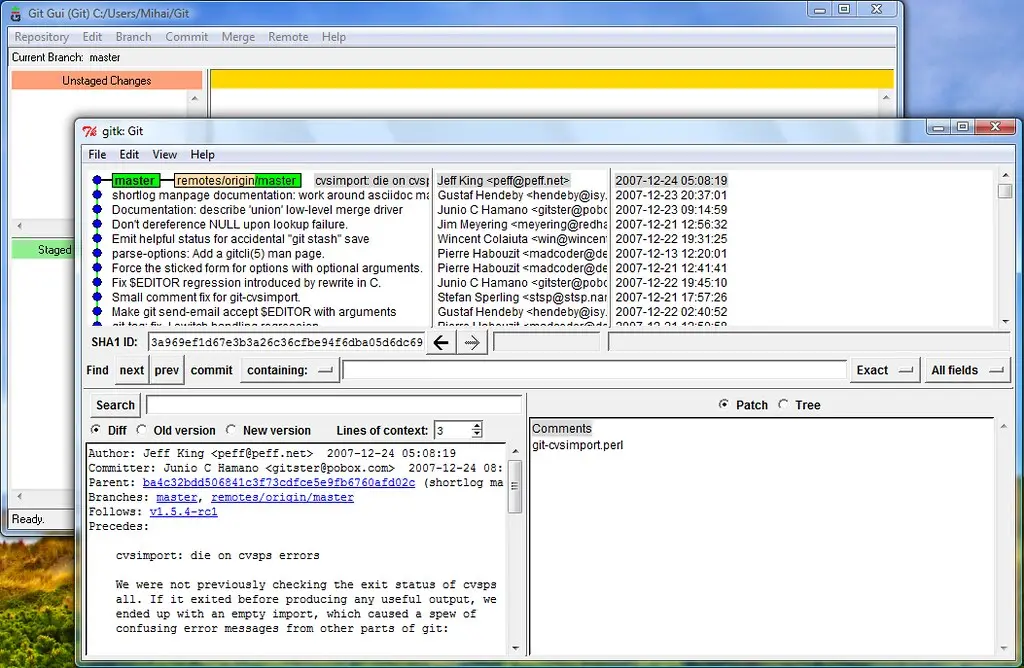
Interactive rebase is the Git feature everyone learns and nobody trusts. Reordering a TODO list of commits in an editor, hoping you did not fat-finger a pick into a drop, is a nervous experience. Git 2.54 and 2.55 introduce a friendlier path for the common case: git history.
Quick answer
Git 2.54 introduced an experimental git history command for simpler history-editing tasks, and Git 2.55 added git history fixup, which applies staged changes directly into an earlier commit without a full interactive rebase. Git 2.54 also gave git rebase a new --trailer option that appends a trailer to every rebased commit. These are additions, not replacements, so git rebase -i still works as before.
Key takeaways
git history(2.54, experimental) targets simple history edits without the full rebase machinery.git history fixup(2.55) folds staged changes into an older commit in one step.git rebase --trailer(2.54) appends a trailer to every commit it rewrites.- Git 2.55 also enabled Rust support by default in the build.
- These are safer front doors for common tasks, not a removal of interactive rebase.
The problem git history solves
Most of the time you reach for interactive rebase, you want to do one small thing: fix a typo in an earlier commit, or fold a follow-up change into the commit it belongs with. Interactive rebase makes you open an editor, understand a TODO script, and hope nothing else drifts. It is powerful and overkill for the everyday case.
Git 2.54's git history is an experimental command aimed squarely at those simpler cases. It gives you a more direct way to edit history without hand-editing a rebase TODO list. Because it is experimental, its exact surface may change, but the intent is clear: make the common history edit less error-prone.
git history fixup, the headline feature
Git 2.55 added the piece most people will actually use: git history fixup. It lets you apply staged changes directly into an earlier commit, merging your staged work into an older commit instantly, without going through an interactive rebase.
The workflow this replaces is familiar. You commit something, then realize a related change belongs in a commit from three back. The old way was to make the change, run git commit --fixup, then git rebase -i --autosquash and trust the machinery to squash correctly. The new git history fixup collapses that into a single, intentional command against the target commit.
For anyone who cleans up their branch before opening a pull request, this removes one of the most common reasons to touch interactive rebase at all.
| Task | Old approach | New in 2.54 / 2.55 |
|---|---|---|
| Fold staged change into an old commit | commit --fixup then rebase -i --autosquash | git history fixup |
| Simple history edit | git rebase -i and edit the TODO | git history (experimental) |
| Add a trailer to rebased commits | Manual, per commit | git rebase --trailer |
The --trailer option
Git 2.54 also taught git rebase a new --trailer option. It appends a trailer, the structured Key: value lines at the bottom of a commit message like Signed-off-by or Reviewed-by, to every commit the rebase rewrites.
This matters for teams with commit-message conventions. If a project requires a sign-off or a ticket reference on every commit, you can now add it across a whole branch in one rebase rather than amending each commit by hand. It is a small quality-of-life change that removes a repetitive chore.
Rust in the build
On the plumbing side, Git 2.55 enabled Rust support by default in the build. This is not a feature you invoke directly; it is part of a longer effort to bring memory-safe components into Git's codebase. For most users it changes nothing about daily commands, but it signals the direction the project is heading. It also means your build environment may need a Rust toolchain available, which is worth knowing if you compile Git yourself.
Should you switch off interactive rebase?
No, and the Git team is not asking you to. git rebase -i remains the general-purpose tool for reordering, squashing, dropping, and editing arbitrary sequences of commits. What changed is that the two most common reasons to reach for it, folding a change into an old commit and making one small edit, now have dedicated, lower-risk commands.
Think of git history and git history fixup as the front door for routine cleanup, and interactive rebase as the workshop for anything more involved. Since git history is still experimental, keep interactive rebase in your toolkit as the reliable fallback. If your team is standardizing tooling, our overview of Claude Code versus Cursor touches on how AI coding agents increasingly script these Git operations for you.
What to do right now
- Update to Git 2.55 or later to get both
git historyandgit history fixup. - Try
git history fixupon a throwaway branch to fold a staged change into an old commit. - Add
--trailerto a rebase if your team requires sign-offs or ticket references. - Keep
git rebase -ifor reordering, squashing, and complex edits. - If you build Git from source, ensure a Rust toolchain is available for 2.55.
- Treat
git historyas experimental and verify results before pushing shared branches.
Frequently asked questions
Does git history replace interactive rebase?
No. It targets simpler, common cases like a single small edit, while git rebase -i remains the tool for reordering, squashing, and editing arbitrary commit sequences. Interactive rebase is not going away.
What exactly does git history fixup do?
It applies your currently staged changes directly into an earlier commit, folding them in without running a full interactive rebase. It replaces the old two-step dance of git commit --fixup followed by an autosquash rebase.
Is git history stable enough for shared branches?
It shipped as experimental in Git 2.54, so verify its output before pushing to branches other people rely on. For anything rewriting shared history, review the result and coordinate with your team as you would with any rebase.
What is the --trailer option good for?
It appends a trailer, such as Signed-off-by or a ticket reference, to every commit a rebase rewrites. It is useful for enforcing commit-message conventions across a whole branch in one command.
Do I need to install Rust to use Git 2.55?
Only if you compile Git from source. Git 2.55 enables Rust support by default in the build, so building it yourself may require a Rust toolchain. Prebuilt binaries from your package manager handle this for you.