Fix PC Random Restarts With No BSOD (Kernel-Power 41)
A PC that reboots with no blue screen and logs Kernel-Power Event 41 usually has a power, heat, or RAM fault. Diagnose it step by step here.
A PC that suddenly reboots with no blue screen, no error, and no warning is one of the hardest faults to chase, because Windows never gets a chance to write a crash log explaining itself. Instead you get a generic Kernel-Power Event 41 in the logs, which only confirms what you already know: the machine lost power or hung and restarted unexpectedly.
The absence of a BSOD is itself a clue. Blue screens are software halting on purpose; a silent reboot usually means the hardware lost power or protection-tripped faster than Windows could react. That points to the power supply, heat, RAM, or unstable voltages, and this guide isolates which.
Quick answer
A silent reboot logged as Kernel-Power Event 41 (no blue screen) is almost always hardware: a failing or undersized power supply, overheating, or unstable RAM. First disable automatic restart so a hidden BSOD can show itself. If reboots only happen under load, check temperatures and the PSU; if they happen at idle too, suspect a dying PSU, then test RAM with MemTest86 and disable your XMP/EXPO profile.
Note
First, turn off automatic restart so you can at least see whether a fleeting BSOD is being hidden. Press Win+R, type sysdm.cpl, go to Advanced > Startup and Recovery > Settings, and untick Automatically restart. If a blue screen now appears, you have a software/driver crash, see our IRQL_NOT_LESS_OR_EQUAL guide. If it still reboots silently, it is hardware.
Key takeaways
- Silent reboots with Kernel-Power Event 41 and no BSOD are usually power, heat, or RAM faults, not software.
- The PSU is the prime suspect, aging capacitors, an undersized unit, or a loose cable cause instant reboots under load.
- Overheating trips a hardware shutdown with no log; check CPU/GPU temps and clean dust.
- Faulty RAM and unstable XMP/EXPO overclocks also cause silent reboots, test with MemTest86 and disable XMP.
Step 1: Read the logs and turn off auto-restart
Open Event Viewer (right-click Start > Event Viewer), go to Windows Logs > System, and look for Kernel-Power, Event ID 41 at the time of each reboot. A 41 with no preceding error confirms an unexpected power loss rather than a clean crash. Note whether reboots happen at idle, under gaming load, or both, that distinction guides everything below.
When the reboots happen tells you where to look first. Use this to narrow the suspect before you open the case:
| When it reboots | Most likely cause | First test |
|---|---|---|
| Under load only (gaming, rendering) | Overheating or PSU sag | Watch CPU/GPU temps in HWiNFO |
| At idle and under load | Failing PSU or marginal voltage | Reseat connectors, swap a known-good PSU |
| At idle only | Unstable RAM/XMP or dying capacitors | Disable XMP, run MemTest86 |
| Random, after a recent update | Driver or BIOS instability | Turn off auto-restart, watch for a BSOD |
Step 2: Check heat first, it is free to test
If reboots happen under load (gaming, rendering) and rarely at idle, suspect overheating. A CPU or GPU that exceeds its thermal limit triggers an immediate hardware shutdown with no log entry.
-
Install HWiNFO or HWMonitor and watch CPU and GPU temperatures while you stress the system.
-
If temps spike past ~95-100°C right before a reboot, you have a cooling problem.
-
Power down, open the case, and clean dust from heatsinks and fans with compressed air.
-
Reseat the CPU cooler and, if it is old, reapply thermal paste. Confirm all case fans spin.
Step 3: Suspect the power supply
A failing or undersized PSU is the most common cause of idle and load silent reboots. Aging capacitors, voltage sag, or a marginal wattage rating cause the unit to drop or protection-trip under demand.
-
Reseat every power connector, the 24-pin, the CPU 8-pin (EPS), and especially the PCIe/12VHPWR cable to the GPU. A partially seated GPU power cable is a frequent culprit.
-
In HWiNFO, watch the +12V, +5V, +3.3V rails. Each should stay within 5% of its rated value; large dips under load point to the PSU.
-
If you have a spare known-good PSU with adequate wattage, swap it in, this is the definitive test.
-
Confirm your PSU wattage actually covers your GPU and CPU under load, including transient spikes (modern high-end GPUs demand large momentary surges).
Note
A wall-side surge or a failing outlet/UPS can also cause this. Plug the PC directly into a known-good wall socket (bypassing power strips and cheap UPS units) to rule out external power as the cause.
Step 4: Test RAM and disable XMP/EXPO
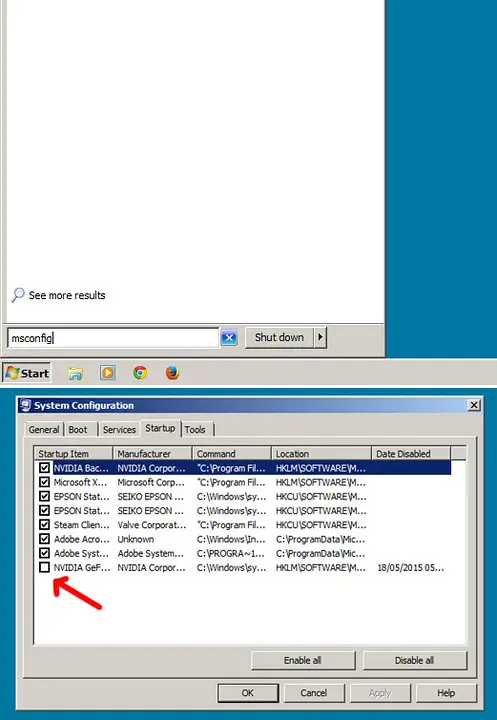
Faulty memory and unstable memory overclocks both cause silent reboots. In BIOS, disable the XMP/EXPO profile so RAM runs at JEDEC defaults and test for a day. If reboots stop, the memory could not run its rated speed stably, try a lower XMP profile or looser timings. Independently, run MemTest86 from a USB stick for several full passes overnight; any errors mean a failing module that must be reseated, isolated, and replaced.
Step 5: Rule out drivers and BIOS
If hardware checks out, update the motherboard BIOS and chipset drivers from your board maker, early BIOS revisions sometimes cause power-state instability. Then update the GPU driver with a clean install. While you are in driver territory, our WHEA_UNCORRECTABLE_ERROR guide covers the closely related case where the same hardware faults do produce a logged blue screen, which can help confirm a CPU or voltage problem.
Frequently asked questions
What exactly is Kernel-Power Event 41?
It is the log entry Windows writes after it restarts without a clean shutdown. It does not name a cause, it only records that power was lost or the system stopped responding and rebooted. Treat it as confirmation of an unexpected reboot, then diagnose the hardware behind it.
Reboots only happen while gaming. What does that point to?
Load-only reboots strongly suggest heat or PSU. The GPU draws its peak power under gaming load, stressing both cooling and the power supply. Check temperatures first (free), then reseat and test the PSU and its GPU power cable.
It reboots even sitting idle at the desktop. Is that still the PSU?
Idle reboots lean toward a failing PSU, unstable RAM/XMP, or a marginal voltage, since heat is unlikely at idle. Disable XMP, test RAM with MemTest86, and if a spare PSU is available, swap it in. Idle-only faults are classic dying-capacitor symptoms.
Could a Windows update or driver cause silent reboots?
It can, but a software fault usually produces a BSOD once you disable automatic restart. If, after unticking auto-restart, you still get a silent power-off with no blue screen, the cause is almost certainly hardware. If a blue screen appears, troubleshoot it as a driver crash instead.