Bluetooth Audio Lag on TV: Fix Lip-Sync in 2026
Wireless earbuds can throw TV dialogue out of sync. Here's the latency that causes lip-sync lag and which codecs keep audio and video matched.
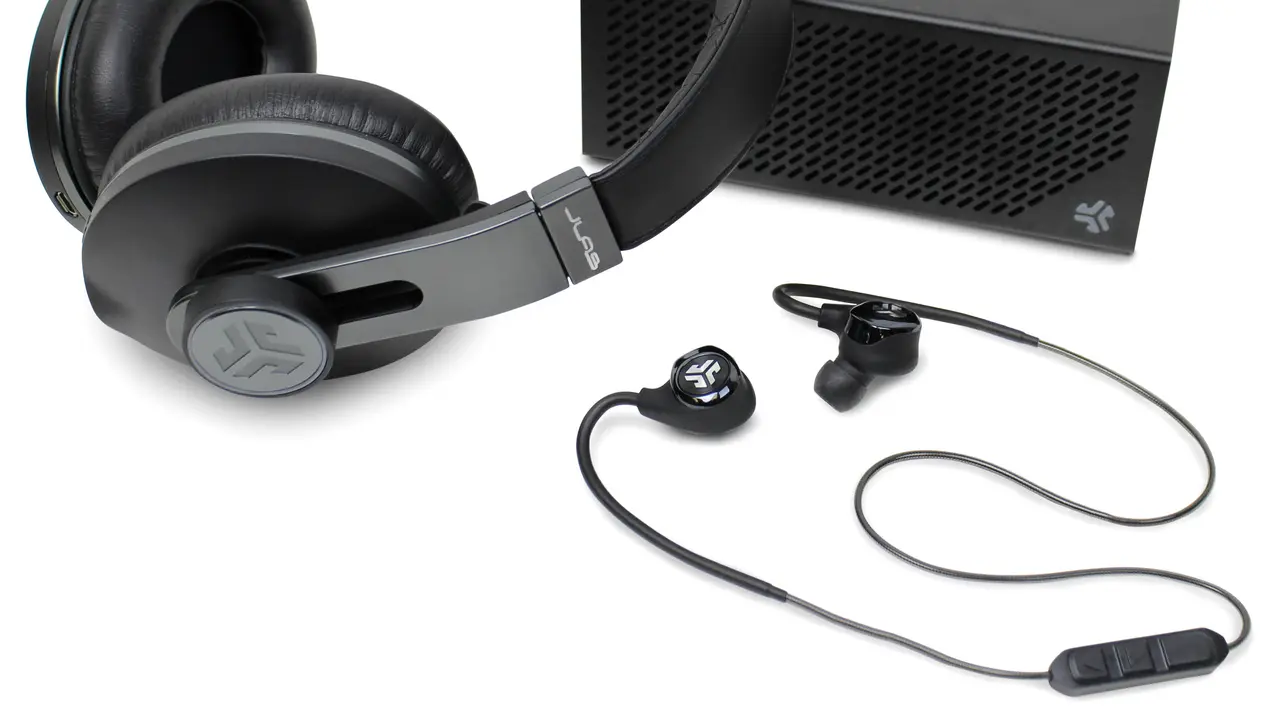
You settle in to watch a movie with wireless earbuds so you do not disturb the house, and within minutes something is wrong: the dialogue lands a beat after the actors' lips move. It is subtle but maddening, and once you notice it you cannot unsee it. This is Bluetooth audio latency, the delay between the video on your TV and the sound reaching your ears, and whether you suffer it comes down to which codec your earbuds and TV use. Here is what causes it and how to fix it.
Quick answer
Bluetooth TV lip-sync lag is a codec problem, not a fault in your earbuds. Humans notice the mismatch above roughly 45ms of delay, and standard SBC often runs well past that. The fix is a low-latency codec supported on both ends: aptX Low Latency (32 to 40ms), aptX Adaptive (under 40ms), or LE Audio's LC3 (20 to 30ms). If your TV only speaks SBC, add a low-latency Bluetooth transmitter (about $40 to $70) or use the TV's audio-delay slider to nudge the sound earlier.
Key takeaways
- Bluetooth latency is the delay between video and the audio reaching wireless earbuds, it causes the lip-sync problem.
- Humans start noticing audio-video sync issues at roughly 45ms of delay.
- Standard Bluetooth codecs (like basic SBC) can run well over that threshold, causing visible lag.
- Low-latency codecs fix it: aptX Low Latency (~32-40ms), aptX Adaptive (often under 40ms), and LE Audio's LC3 (~20-30ms).
- Both the TV and the earbuds must support the same low-latency codec for it to work.
Why wireless earbuds lag on TV
Bluetooth does not send audio instantly. The sound has to be compressed by the transmitter (your TV), beamed over the air, then decompressed by the receiver (your earbuds) and played. Each step takes time, and the total, the latency, can range from barely noticeable to badly distracting depending on the codec in use.
The reason this matters for TV but not music is sync. When you listen to a song, a small delay is invisible because there is nothing to compare the audio against. But on video, your brain compares the sound to the actors' lips in real time, and even a modest delay registers as wrong.
Note
The threshold is around 45 milliseconds. Below that, most people perceive audio and video as synced. Above it, the lip-sync mismatch becomes noticeable, and the further past it you go, the worse it feels.

The codecs and their latency
This is the whole game. The Bluetooth codec, the compression method your TV and earbuds negotiate, determines the delay:
- SBC (the universal baseline): high latency, often well past the 45ms threshold, frequently the cause of lip-sync lag.
- aptX Low Latency: about 32-40ms, designed specifically to stay under the sync threshold, with around 32ms making it strong for gaming too.
- aptX Adaptive: often under 40ms, adjusting on the fly; a good all-rounder for TV, movies, and gaming.
- LE Audio (LC3 codec): roughly 20-30ms, the newest standard, with the lowest latency and better efficiency than SBC.
Here is how the common codecs stack up, with the typical latency and what each is good for:
| Codec | Typical latency | Synced for TV? | Best for |
|---|---|---|---|
| SBC | 150 to 250ms | No, usually lags | Music only, last resort |
| AAC | 120 to 200ms | No on most setups | Apple-heavy gear, music |
| aptX | 70 to 100ms | Borderline | General music, some video |
| aptX Low Latency | 32 to 40ms | Yes | TV, movies, gaming |
| aptX Adaptive | under 40ms | Yes | All-round TV and gaming |
| LC3 (LE Audio) | 20 to 30ms | Yes, best | Newest TVs and earbuds |
Note how far SBC and AAC sit above the roughly 45ms threshold where your brain flags the mismatch. That gap is why the same earbuds feel fine for music and broken for dialogue.
Warning
The catch that trips everyone up: a low-latency codec only works if both ends support it. aptX Low Latency earbuds paired to a TV that only speaks SBC fall back to SBC's high latency, and the lag returns. You need a matching codec on the TV (or transmitter) and the earbuds.
How to fix Bluetooth lip-sync lag
- Check your earbuds' supported codecs, look for aptX Low Latency, aptX Adaptive, or LE Audio (LC3).
- Check whether your TV supports the same codec. Many TVs only support SBC over their built-in Bluetooth.
- If the TV lacks a low-latency codec, add a dedicated low-latency Bluetooth transmitter to the TV's audio output that supports aptX Low Latency or LE Audio.
- If you cannot match codecs, use your TV's audio-video sync or "lip-sync" / "audio delay" setting to manually nudge the audio earlier until it lines up.
- For the lowest latency overall, pair LE Audio earbuds with an LE Audio source.
What to do right now
If dialogue is landing late tonight, run this in order and stop after the first thing that fixes it:
- Check your earbuds' spec sheet for aptX Low Latency, aptX Adaptive, or LC3 (LE Audio).
- In your TV's Bluetooth or sound menu, see which codec it actually negotiates; many TVs only do SBC.
- If both ends share a low-latency codec, re-pair the earbuds so they negotiate it fresh.
- If the TV is stuck on SBC, plug a low-latency Bluetooth transmitter (aptX Low Latency or LE Audio) into the TV's optical or 3.5mm output.
- As a last resort, open the TV's audio-delay or lip-sync slider and nudge the audio earlier until lips and sound match.
A dedicated transmitter like the Avantree Audikast Plus or a recent LE Audio dongle runs roughly $40 to $70 and is the most reliable fix when the TV itself cannot do low latency.
The bottom line
Bluetooth lip-sync lag is not a fault in your earbuds or TV, it is a codec mismatch, and it is fixable. Aim for a low-latency codec (aptX Low Latency, aptX Adaptive, or LE Audio's LC3) supported on both ends, or add a low-latency transmitter to a TV that only speaks SBC. When you cannot match codecs, the TV's manual audio-delay slider is the fallback. For the broadcast side of wireless TV audio, see our guide to Auracast and Bluetooth LE Audio, and for a wired alternative with zero latency, the eARC vs ARC explainer covers connecting a soundbar instead.
Frequently asked questions
Why is my TV audio delayed on Bluetooth earbuds?
Because of Bluetooth latency, the time it takes to compress, transmit, and decompress the audio. With a standard codec like SBC, that delay often exceeds the roughly 45ms threshold where humans notice lip-sync mismatch, so dialogue lands after the lips move.
Which Bluetooth codec is best for watching TV?
Any low-latency codec keeps audio and video in sync: aptX Low Latency (~32-40ms), aptX Adaptive (often under 40ms), or LE Audio's LC3 (~20-30ms). LC3 has the lowest latency, but all three stay under the sync threshold, unlike basic SBC.
Do both my TV and earbuds need the same codec?
Yes. A low-latency codec only works if both the source and the earbuds support it. If your TV only speaks SBC, low-latency earbuds fall back to SBC and the lag returns. Matching codecs on both ends, or adding a low-latency transmitter, is the fix.
How do I fix lip-sync lag without new earbuds?
Add a dedicated low-latency Bluetooth transmitter to your TV's audio output, or use the TV's built-in audio-delay (lip-sync) setting to nudge the audio earlier until it matches the video. Many TVs include this manual adjustment in their sound menu.